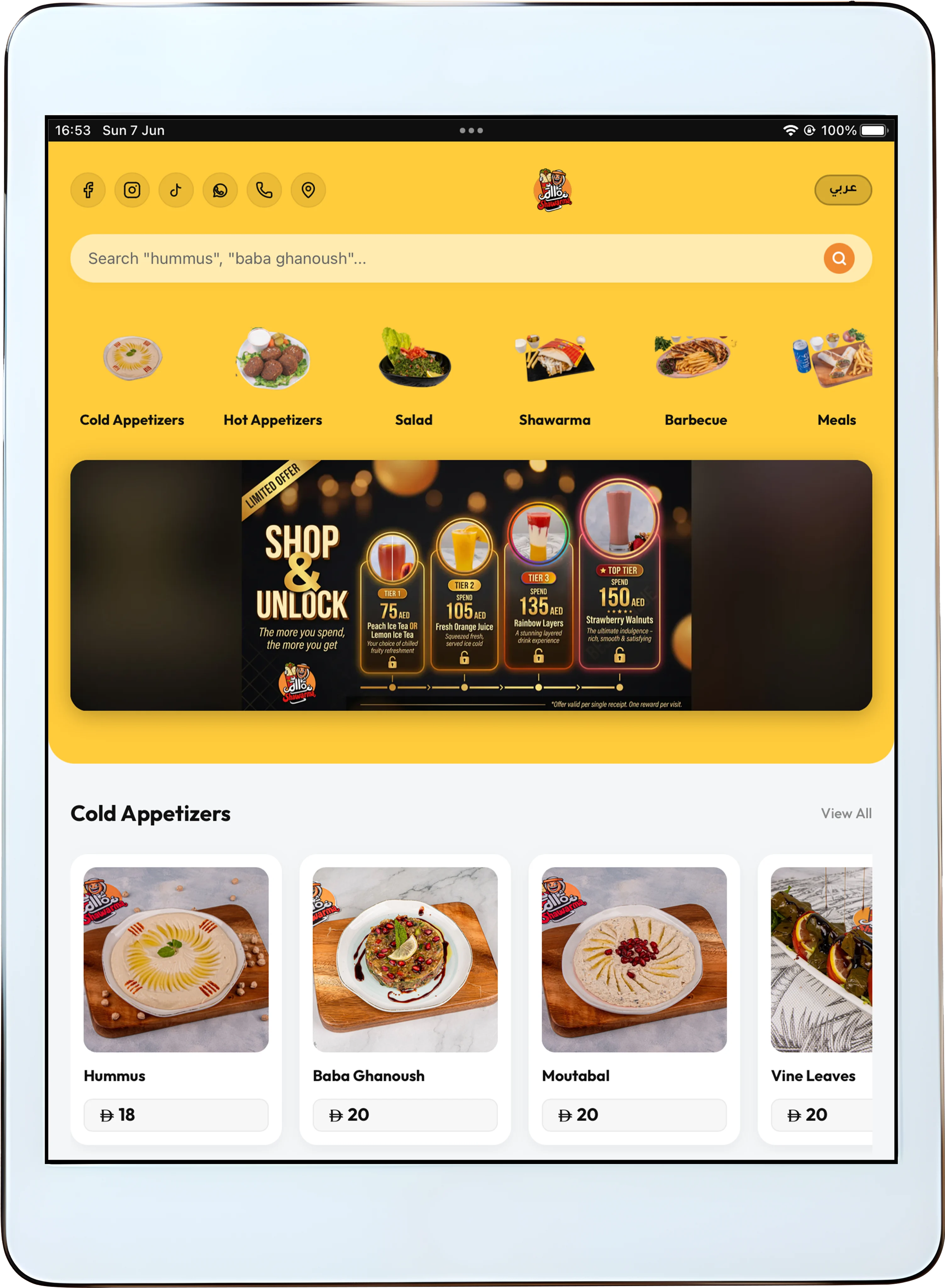
Offline Digital Menu
saqar.io is one of the only digital menu platforms in the world with full offline capability. Download your menu once to an iPad or tablet and it works forever - no internet required, no disruptions, no limitations.
Ideal for dine-in tables, outdoor seating, and drive-up customers where WiFi simply doesn't reach.
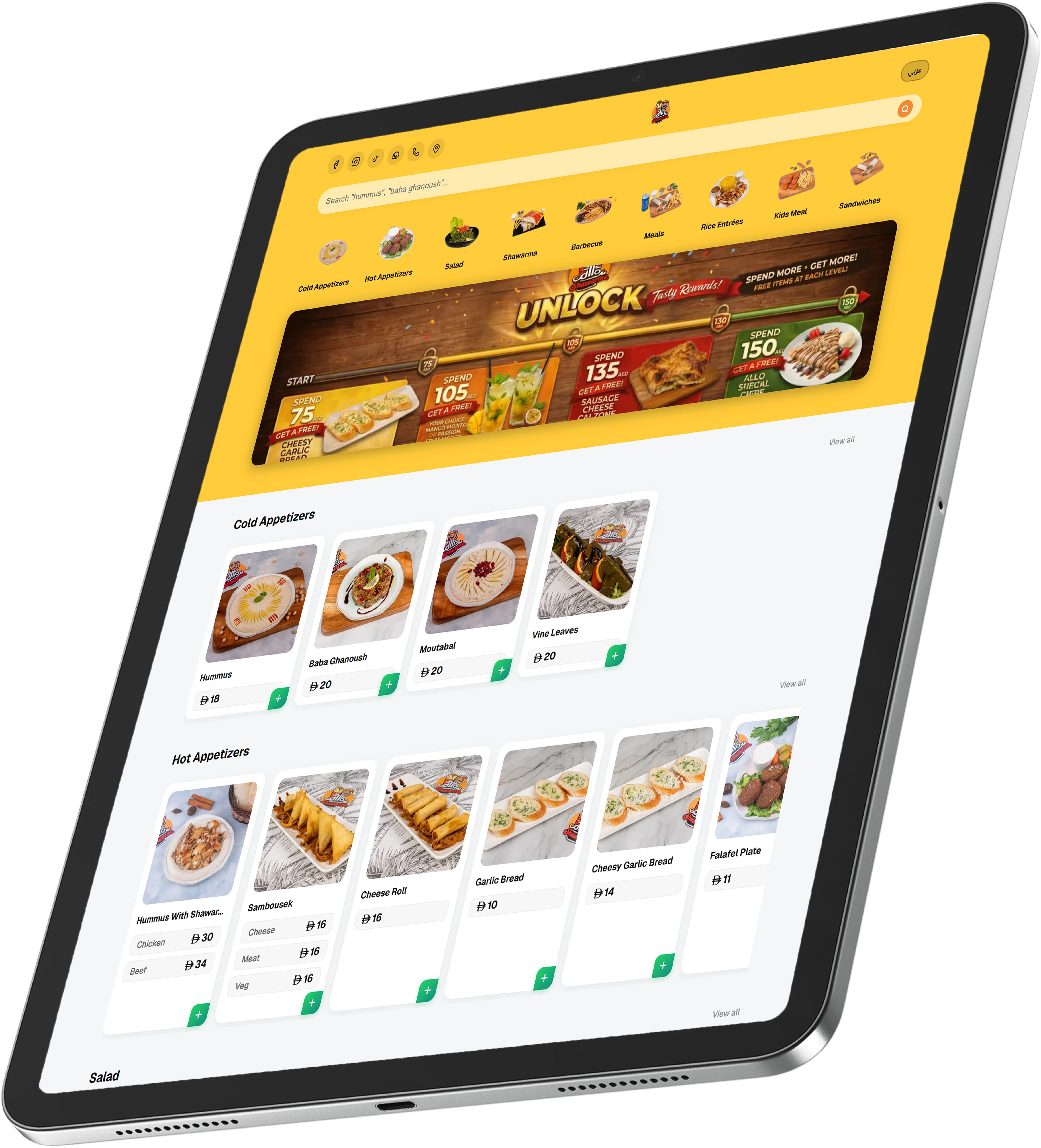
How It Works
Download once.
Your entire menu is stored on the iPad and fully accessible offline.
Update anytime.
Any changes you make sync automatically the moment the device reconnects to the internet.
Use anywhere.
Hand the iPad or tablet to a dine-in customer or a guest sitting in their car outside - the experience is identical to a menu booklet + premium experience and features of a digital menu.
Included in every saqar.io plan. Activate it free from your admin dashboard.
All you need is an iPad or tablet. Don't have one? Get an iPad through saqar.io starting at just 399 AED - one time, no subscription, yours forever.
Get iPadHow to setup
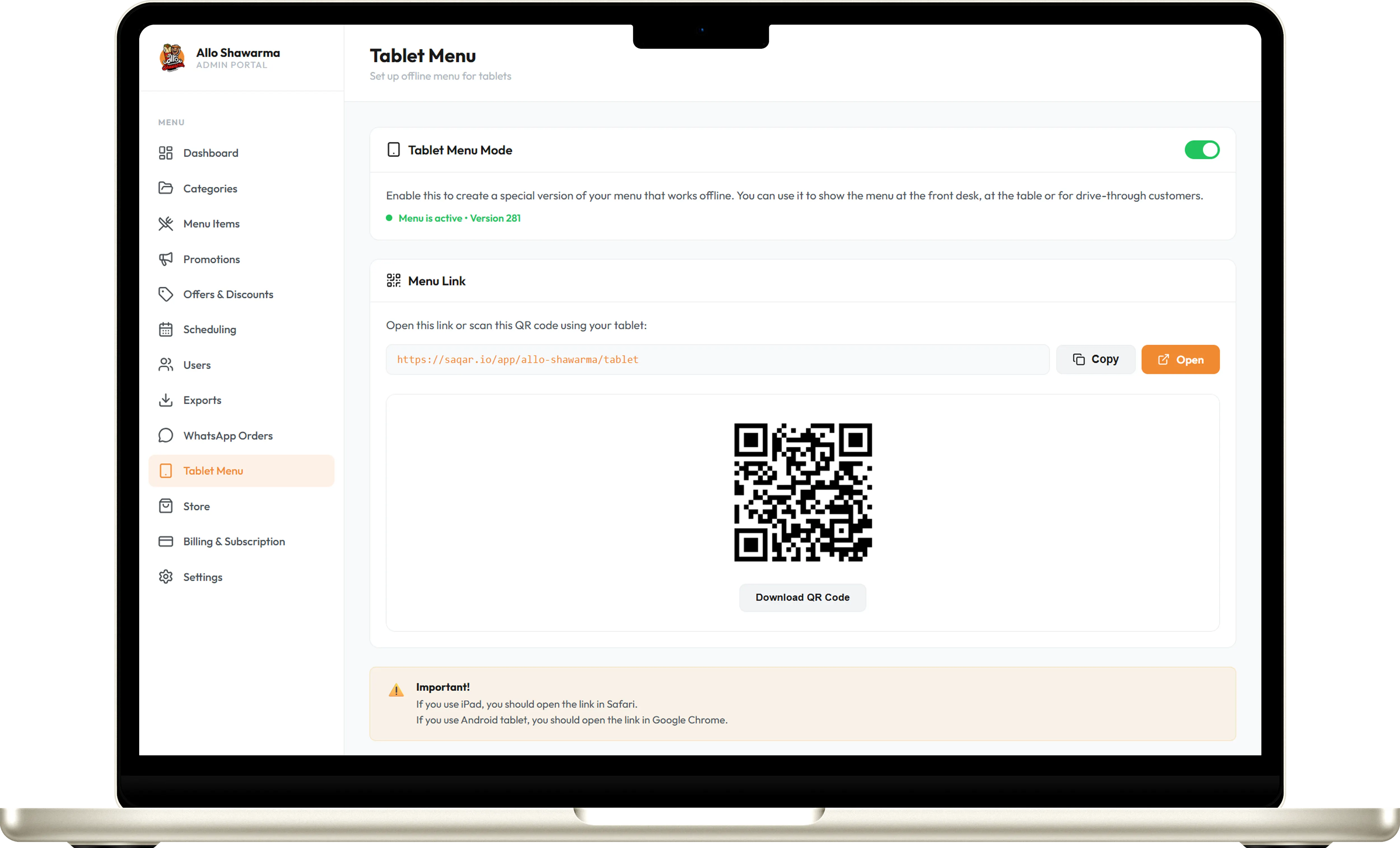
Step 1: Scan the QR code or open the tablet link from your dashboard.
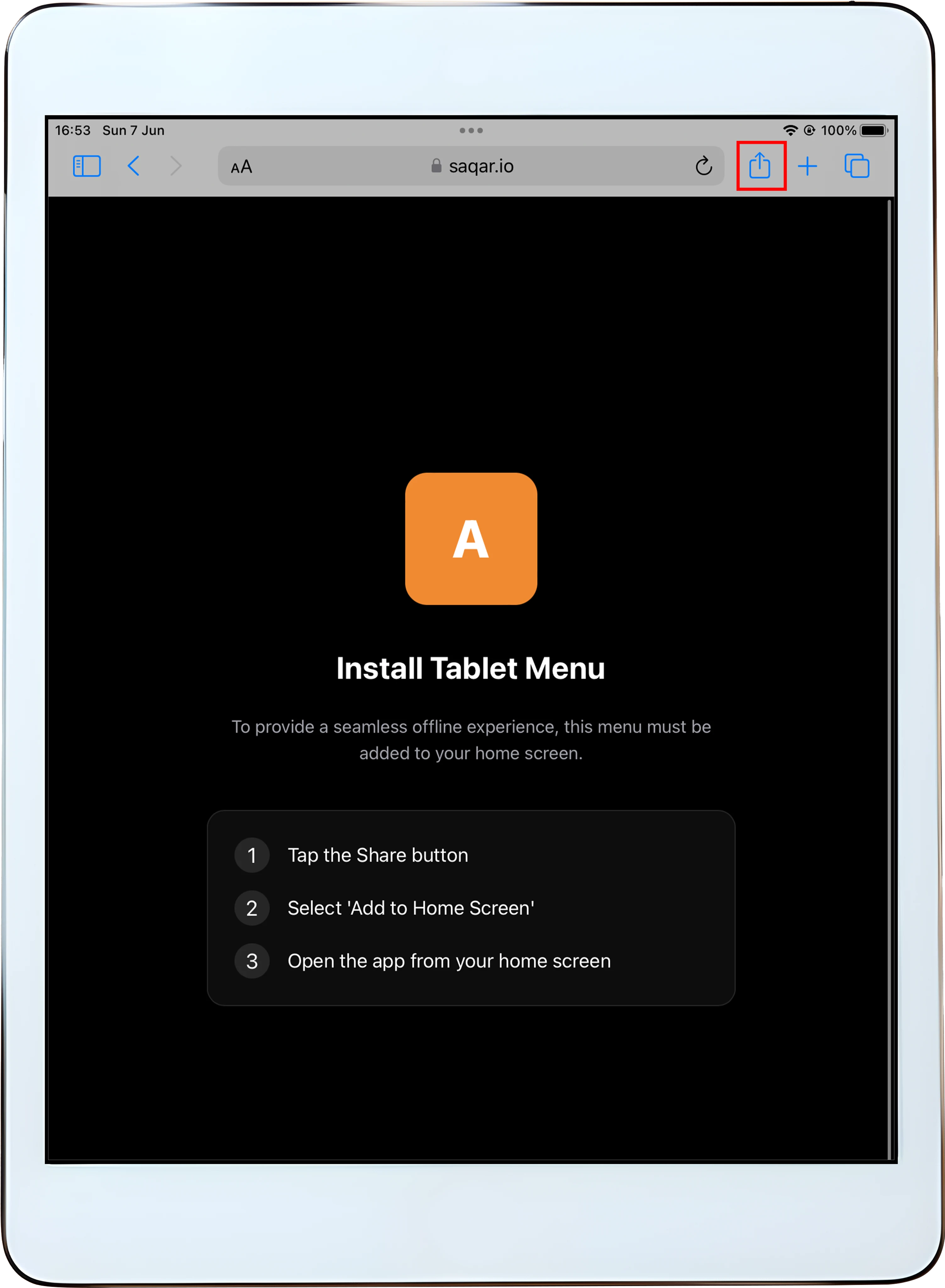
Step 2: On your iPad, tap the Share button in Safari.
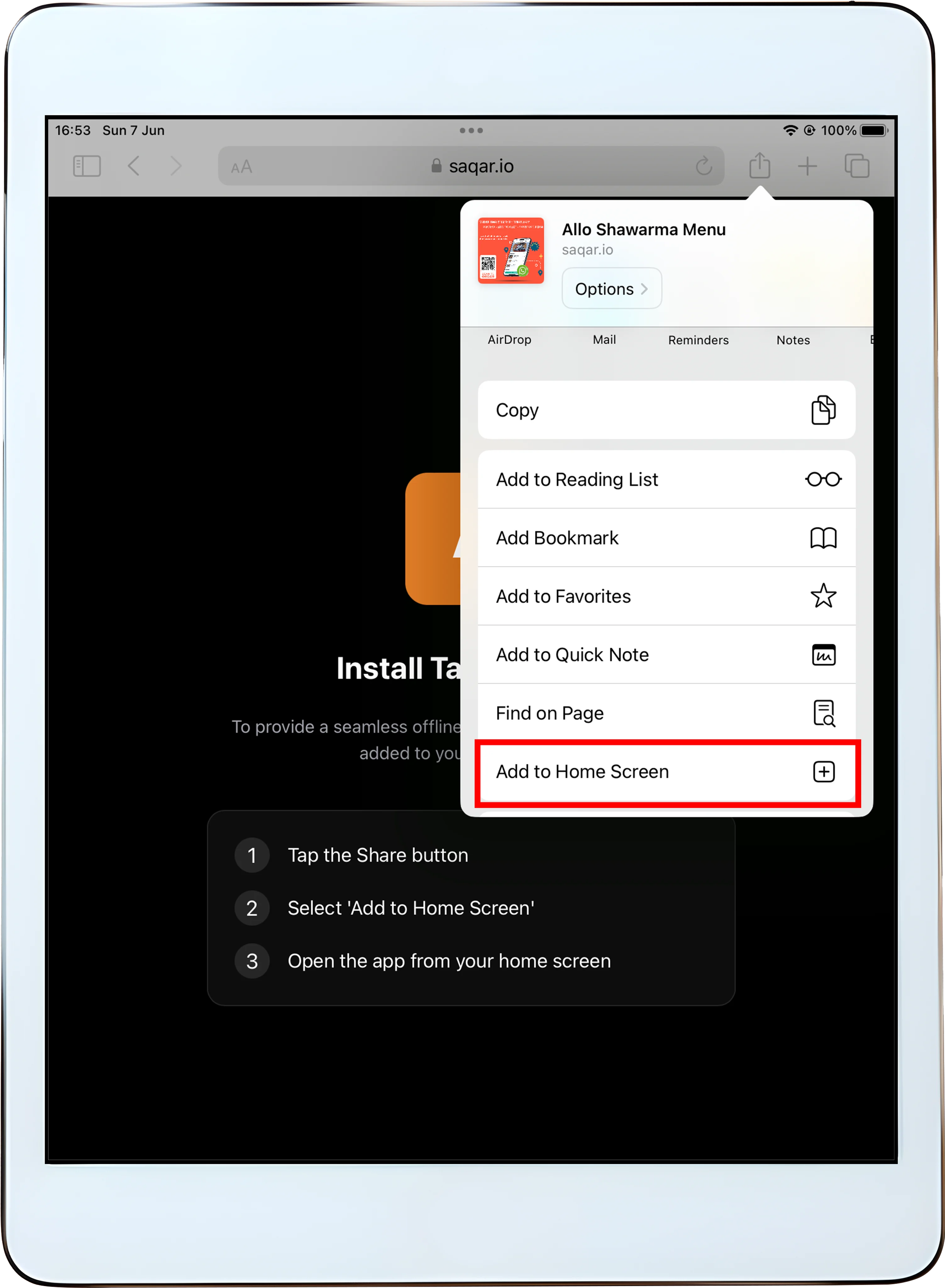
Step 3: Scroll down and select 'Add to Home Screen'.
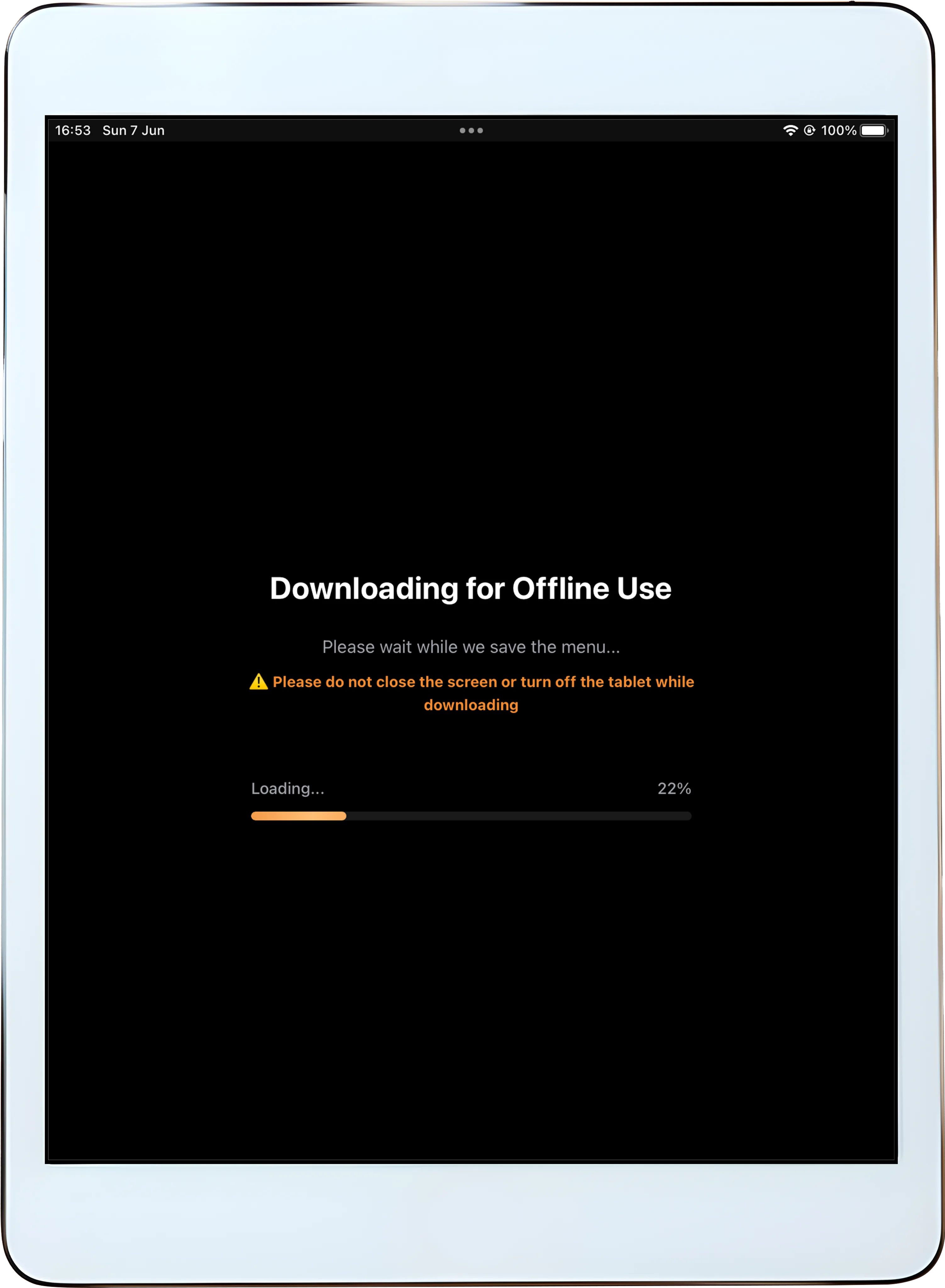
Step 4: Open the newly added app icon from your home screen.
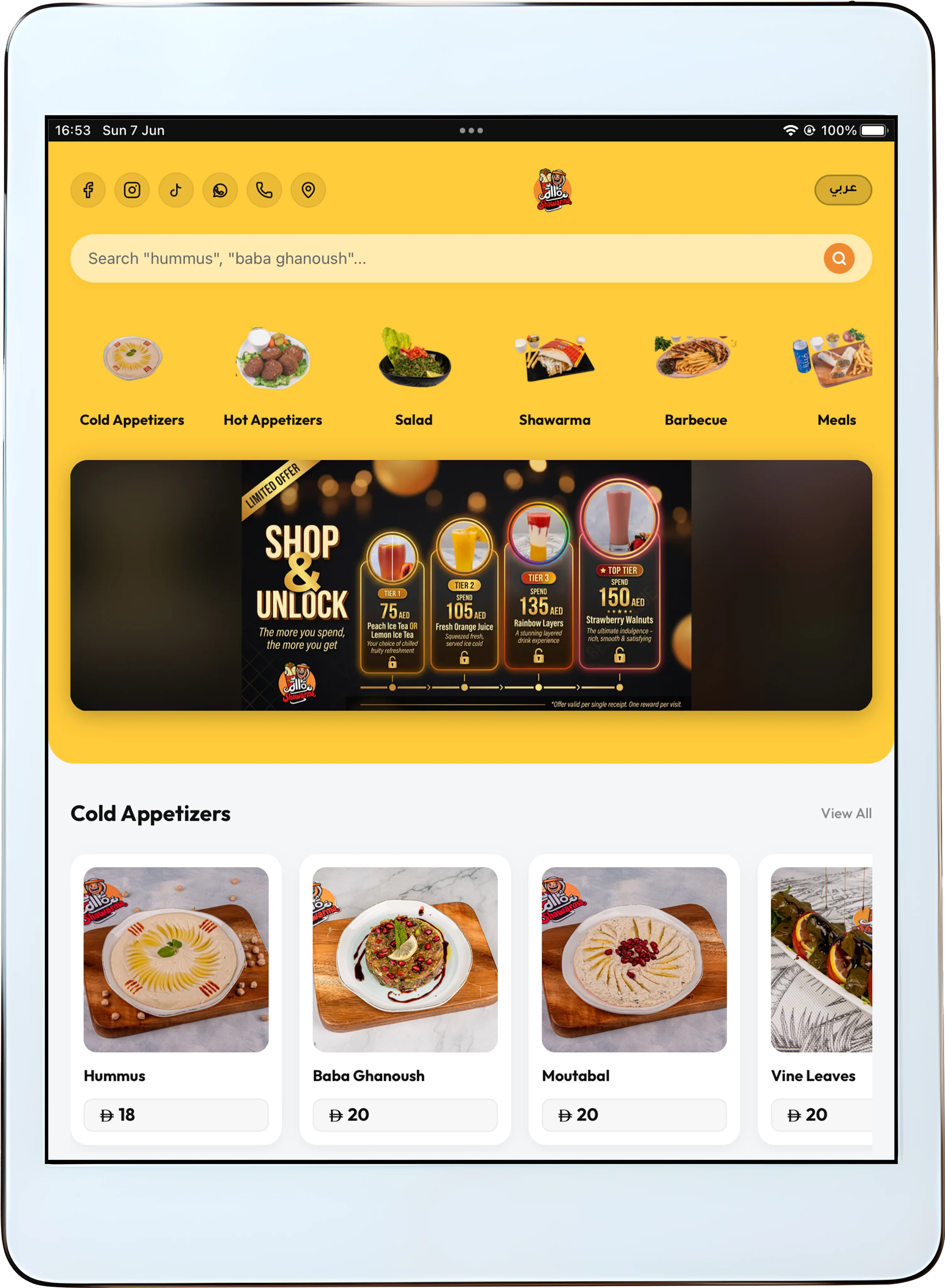
Step 5: Wait a few seconds for the initial offline download to complete.